Why I made this app
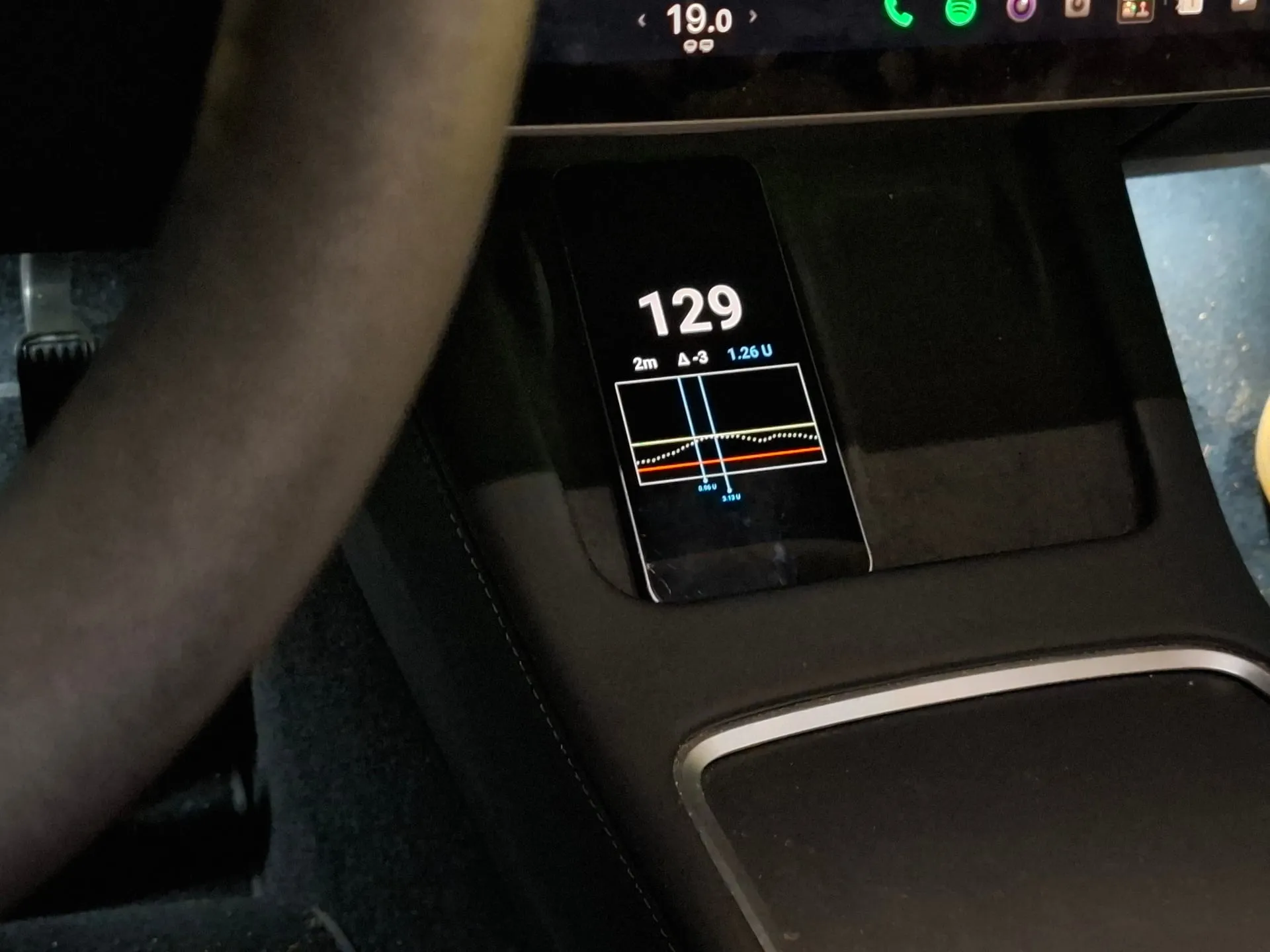
I built the first version of the glucose display app in a hotel room during a summer road trip. I already had my Dexcom readings on my phone via xDrip+. I wanted a screen I could leave open and read information at a glance while driving.
As a type 1 diabetic, I constantly need to check my glucose readings, especially while driving. I realized that I had no real way to actually see my glucose readings while driving, which had me searching for a solution. In a hotel room I coded the first prototype, an app that could:
- Display my glucose readings in a very large font, so I could see them at a glance while driving.
- No distractions such as animations or other data that I didn’t need while driving.
- Full-black background to utilize the AMOLED display of my phone and reduce battery consumption.
All while my phone was charged via the wireless charging pad in my car.
This already helped me immensely during my long drives!
What it can do now
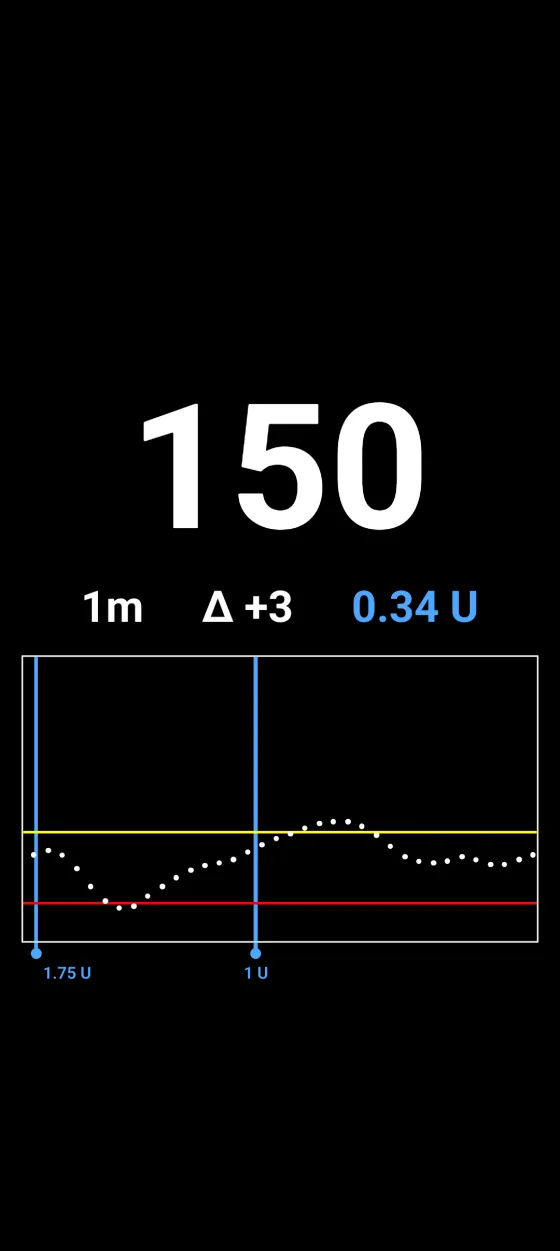
Recently, I have completely rewritten the app to be more lean, robust, and easy to extend where needed. The basic idea remains the same, but now the app features additional functionality, such as:
- Showing the reading age, a trend arrow, and a delta value showing the difference from the previous reading.
- A graph showing your readings over a configurable time range.
- Support to show IOB
- Hiding the system UI and keeping the screen on while the app is running
- Multiple data sources: Currently supports xDrip+ and a remote Nightscout instance.
How I use it now
While this app originated for the need of seeing my glucose readings in a car, I have found it to be incredibly useful in everyday situations. I now use it in the gym or while studying, as the app is very unobtrusive.
The app is also very configurable. One config I personally think is quite helpful is the ability to set the aspect ratio of the graph to a custom value. I use this because my mind is trained to see the graph of my insulin pump, so having both graphs be visually similar helps capture information at a glance.
It was important for me that this app stays extendable for everyone and for the benefit of the community. So while only two data sources are currently supported, I would love to help add more in the future. Please reach out to me if you have a data source that you would like to have supported!
Where to get it
I have published the app together with an Android APK on GitHub at jonatfm/glucose-display-app. You can find the latest release on the releases page. The app is open-source and licensed under the MIT license.
Feel free to open issues or submit pull requests if you have any ideas for improvements or want to contribute!